Fields of Mistria Farm Layout Planner: Best Tools & Tips
A layout reference for arranging crops, paths, and buildings on your farm.
Search keyword: fields of mistria farm layout planner
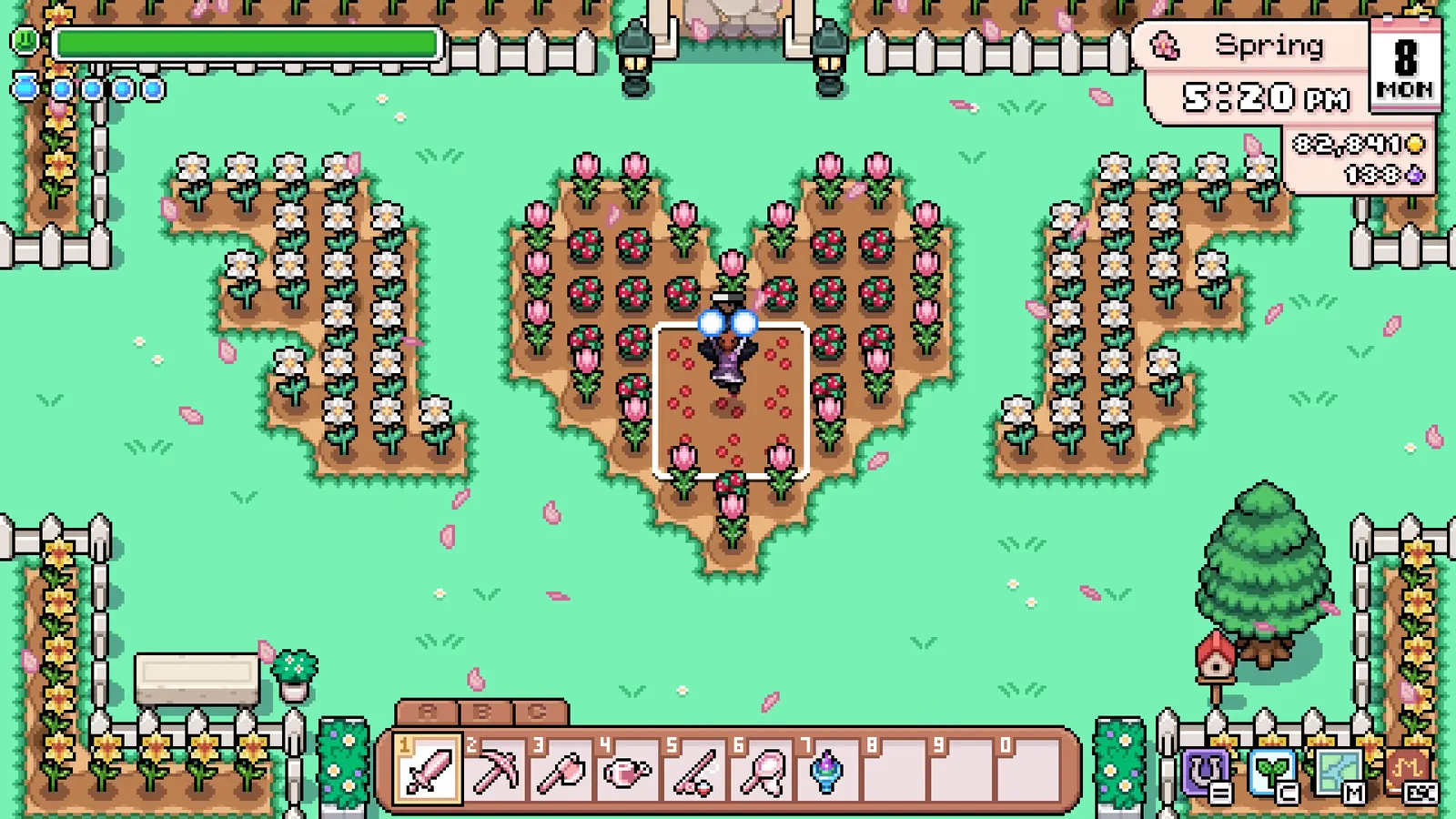
A Fields of Mistria farm layout planner lets you map out your whole homestead on a tile grid before you place anything in game. The two best options are the interactive browser planner at mistria.app and a community-made Google Sheets template shared on Reddit. Both give you exact tile counts for the farm map, so fences, barns, and crop plots fit together on the first try.
Why Plan Your Farm Before You Build?
Redesigning a finished farm costs far more time than sketching it first, which is why planners caught on in the Fields of Mistria community. A planner shows the exact number of tiles you have, which matters for matching plots, straight fence lines, and buildings that never block your walking routes. One Reddit player used a template to plan four fenced crop areas of identical size, one per season, which is nearly impossible to eyeball in game.
mistria.app: The Interactive Map Editor
The layout planner at mistria.app is a browser tool billed simply as a "Farm layout planner for Fields of Mistria". It renders the farm map and lets you place crops, trees, furniture, buildings, and terrain features from searchable palettes. View options include Show grid, Show collision, and Dark mode, plus a season toggle for Spring, Summer, Fall, and Winter. The site also hosts a separate Tracker alongside the planner.
Mouse controls work like this:
- Click a tile to select an item, start moving it, or pick it for drawing with the wheel
- Click, hold, and drag to move an item, select or fill an area, or pan the map with the wheel
- Right click deselects an item or cancels the current selection
- Scroll the wheel to zoom the map in and out
Keyboard shortcuts:
- CTRL+Z undoes, while CTRL+Y or CTRL+SHIFT+Z redoes
- ESC acts like right click, and DEL deletes the selection
- CTRL+C, CTRL+X, and CTRL+V handle copy, cut, and paste
- R rotates an item while placing
The Community Google Sheets Planner
Reddit user urlovebot shared an Excel-style farm planner built in Google Sheets because they prefer to design layouts before building them in game, as in other cozy games. The template includes ready-made building pieces you can copy onto the grid, and a 10/03 update added fence copy and paste that counts how many fences you have drawn. Another user, Krinklie, suggested a legend that marks fencing with "H" plus a formula that totals the number of fence pieces required. The creator also promised to update the sheet as new buildings and the farm expansion arrive (unconfirmed), so download the latest copy before planning.
Crops, Soil, and Trees You Can Place
The mistria.app planner sorts crops by season, which makes it easy to mock up a rotation plan before spending a single seed. Each season has its own palette, and Magic Seed plus Temple Flower also appear in an all-seasons list. Highlights include:
- Spring: Cabbage, Carrot, Chickpea, Daffodil, Lilac, Peas, Potato, Snowdrop Anemone, Strawberry, Tulip, Turnip
- Summer: Basil, Chili Pepper, Corn, Cucumber, Dill, Oregano, Sage, Thyme, Sugar Cane, Sunflower, Tea, Tomato, Watermelon
- Fall: Broccoli, Cranberry, Garlic, Moon Fruit, Onion, Pumpkin, Rice, Sweet Potato, Wheat
- Winter: Beet, Burdock Root, Cauliflower, Daikon Radish, Frost Lily, Poinsettia, Snapdragon, Snow Peas
- All seasons: Temple Flower and Magic Seed
Soil options cover Soil, Tilled soil, Wet soil, and Grass so you can visualize tilled fields against grassy lanes. Tree palettes include Apple, Cherry, Lemon, Oak, Orange, Peach, Pear, Pine, and Pomegranate for orchard planning. Decorative flowers such as Cosmos, Marigold, Iris, and Viola appear in the seasonal lists too, so decoration beds can be planned alongside crops.
Buildings: Barns, Coops, and Greenhouses
Every farm building shows up in the planner palette together with its color variants. Sizes and colors are listed separately so you can compare footprints in advance. Your options are:
- Barns: Small, Medium, and Large, each in red or black
- Coops: Small, Medium, and Large, each in red or black
- Greenhouses: Small and Large, each in white or wood
- Mini Museum
The Starter Farm Set covers the objects that come with your homestead, including the Birdhouse, Campfire, Farmhouse Calendar, Hay Bale, Picket Fence, Potted Plant, Scarecrow, Shipping Bin, Stone Path, Stone Wall, Water Well, Wheelbarrow, and Wooden Fence. Checking these footprints early stops you from boxing in the farmhouse with decorations. It also lets you lay Stone Paths between key spots from day one.
Functional Furniture and Automation
Functional items are the pieces that actively do something, and the planner groups them into dedicated sets. The Automation Set contains the Animal Sprite Statue, Big Bell, and Water Sprite Statues in regular and large variants. Other functional items include the Apiary, Champion's Kitchen, Espresso Machine, Gemstone Bridge, House Stairs, Mistril Forge, Starter Farm Bridge, and Terrarium. The developer roadmap lists a display for the Water Sprite Statue radius as a planned feature (unconfirmed), which should make coverage planning far easier.
One known quirk is that the planner sometimes refuses to stack items even when the game itself allows it, citing a Spring Potted Tree on a Stone Path as an example. Item layering fixes are already on the roadmap. If a placement refuses to cooperate, check the GitHub changelog for the latest changes.
Terrain Features: Rocks, Nodes, Stumps, and Breakables
The planner can also reproduce the natural clutter of an untamed farm. Rock and ore options include copper, iron, silver, gold, and mistril nodes, plus gem nodes for ruby, sapphire, emerald, diamond, pink diamond, and void rock. Breakables range from weeds, leaf piles, and wilted plants to wooden, copper, silver, gold, and secret treasure chests. Stump and branch variants exist for many tree types, grass comes in small, medium, large, and marsh versions, and dig site tiles round out the set, helping you decide what to clear and what to landscape around.
Import Your Save File to Plan Your Real Farm
The planner can upload a save file and extract your existing farm layout so you can renovate what you already built. The site asks you to use your auto save file, which lives at C:\Users\%USERNAME%\AppData\Local\FieldsOfMistria\saves on Windows. If the folder will not appear:
- Enable "show hidden files" in Windows, because AppData is hidden by default
- Press Windows+R, paste %LocalAppData%\FieldsOfMistria, and the save folder should open
- Fall back to the Steam Cloud manager and download your save file there
Layouts and customization choices are saved locally in your browser. You can export everything as JSON and paste that code back in after clearing storage or switching devices. A separate delete tool wipes tracker and planner data for the current browser only.
Layout Tips from the Community
A few notes from the Reddit thread will save you rework. The Shipping Bin is moveable with the pickaxe, so the farmhouse and mailbox are the only fixed objects you truly have to design around. Buildings could only face front at the time of that thread, with no option to rotate them to the side (unconfirmed), so plan each structure with a single orientation. One player measured the first row from the exit at 10 squares while the next row ran 11, and found 3 squares between house and fence where the sheet showed 2; the creator replied the exit tiles act more like half-spaces (unconfirmed), so treat map edges near exits with caution.
Sources
- https://www.reddit.com/r/FieldsOfMistriaGame/comments/1epi7uy/a_farm_layout_planner/
- https://mistria.app/planner/
- https://docs.google.com/spreadsheets/d/14NIlEeaI7eqrFWMP7cS62_IdoHNkwFjcl9G_q7TUWUs/edit?usp=sharing